> ## Documentation Index
> Fetch the complete documentation index at: https://docs.nuon.co/llms.txt
> Use this file to discover all available pages before exploring further.
# 001 - Install Workflow Updates
> Updates to install workflows, bug fixes and actions improvements.
*May 5th, 2025*
v0.19.539
This update introduces significant improvements to install workflows, including detailed step information, workflow cancellation, enhanced action outputs, and Terraform workspaces management.
## Workflows UI
The UI view of each step now includes details on the step itself. For instance, you can see details when generating a step.
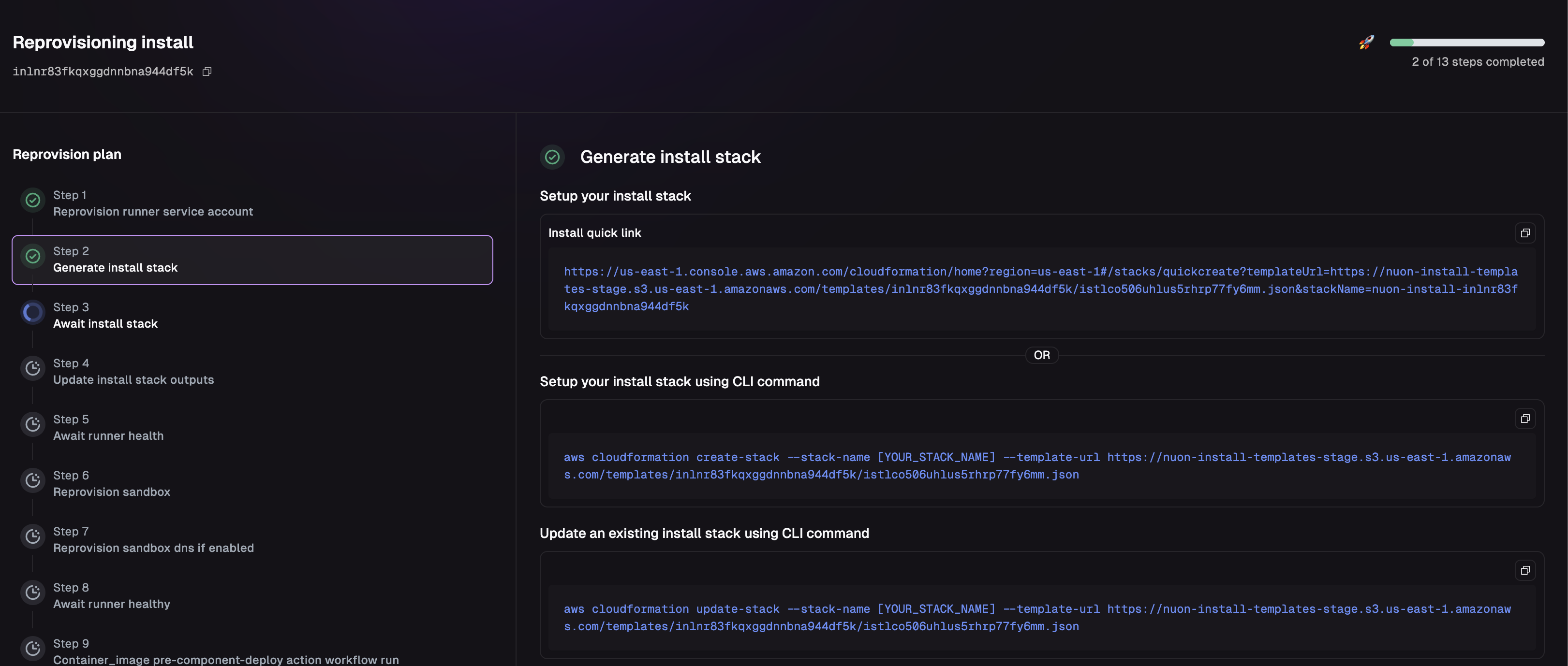 Workflows are now supported by actions and deploys
## Workflow Cancellation
You can now cancel a workflow by clicking the "Cancel" button at the bottom of any running workflow.
Workflows are now supported by actions and deploys
## Workflow Cancellation
You can now cancel a workflow by clicking the "Cancel" button at the bottom of any running workflow.
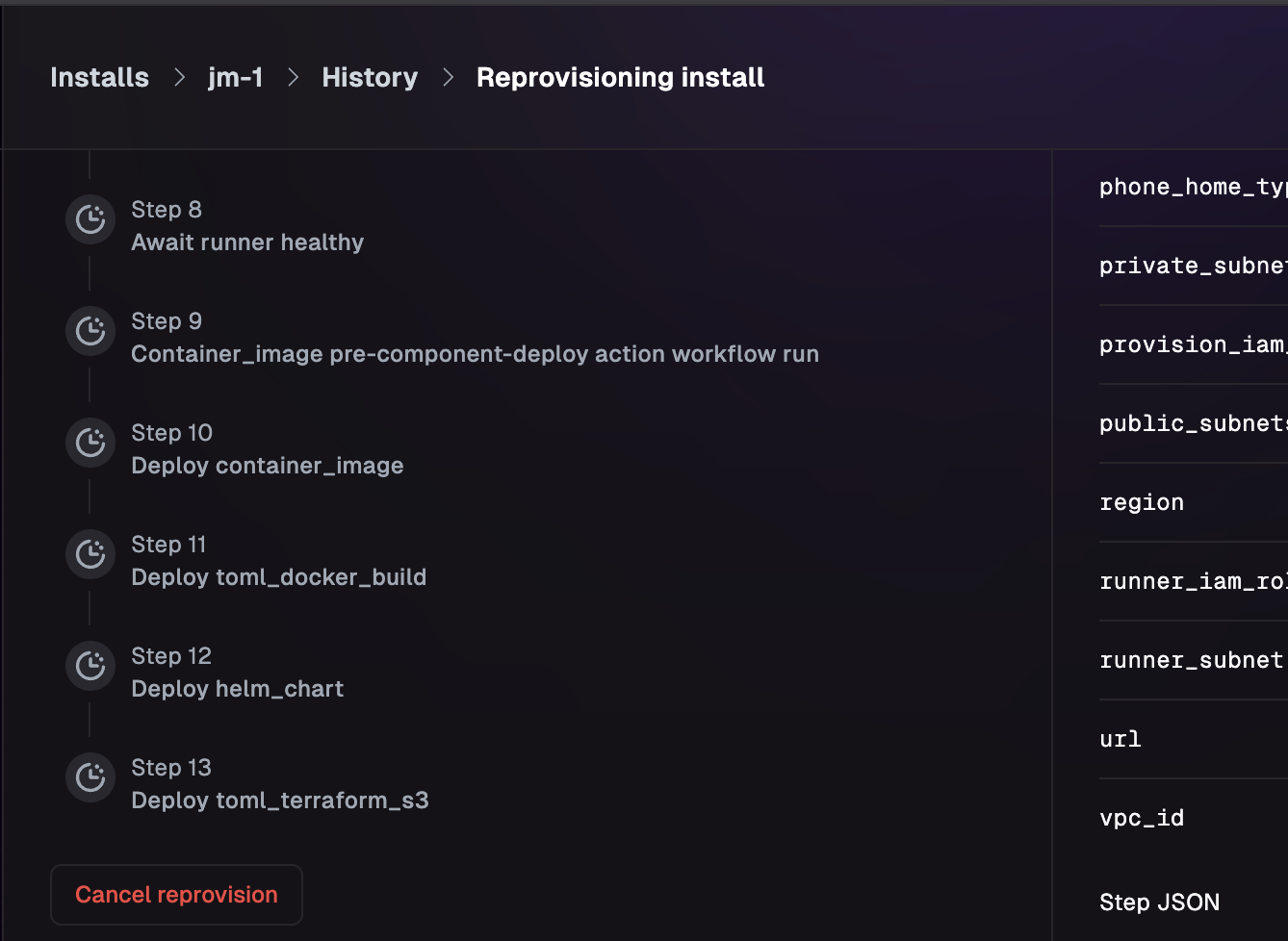 This cancellation will make a best effort to cancel the current running step, including cancelling any running jobs on the runner.
## Improvements to Action Outputs
Previously, action outputs combined the outputs from all steps into a single dictionary. Now, you can access all outputs
by step as well.
This cancellation will make a best effort to cancel the current running step, including cancelling any running jobs on the runner.
## Improvements to Action Outputs
Previously, action outputs combined the outputs from all steps into a single dictionary. Now, you can access all outputs
by step as well.
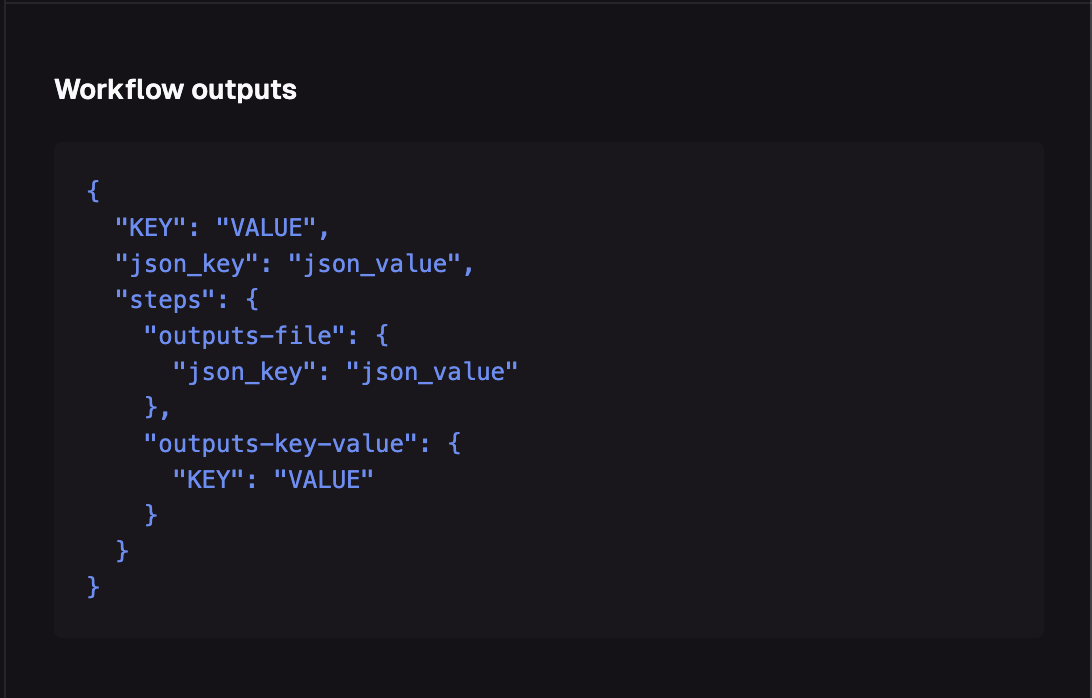 Renaming an action step can potentially break references to actions. We plan to add an ID field for output references soon.
## Kube Config + Credentials
We now automatically inject a valid kube config into the environment for each action. You can reference the `KUBECONFIG`
env var to find a configuration file for the install sandbox the runner has access to.
Currently, all actions use the maintenance role defined in your app.
## Terraform Workspaces
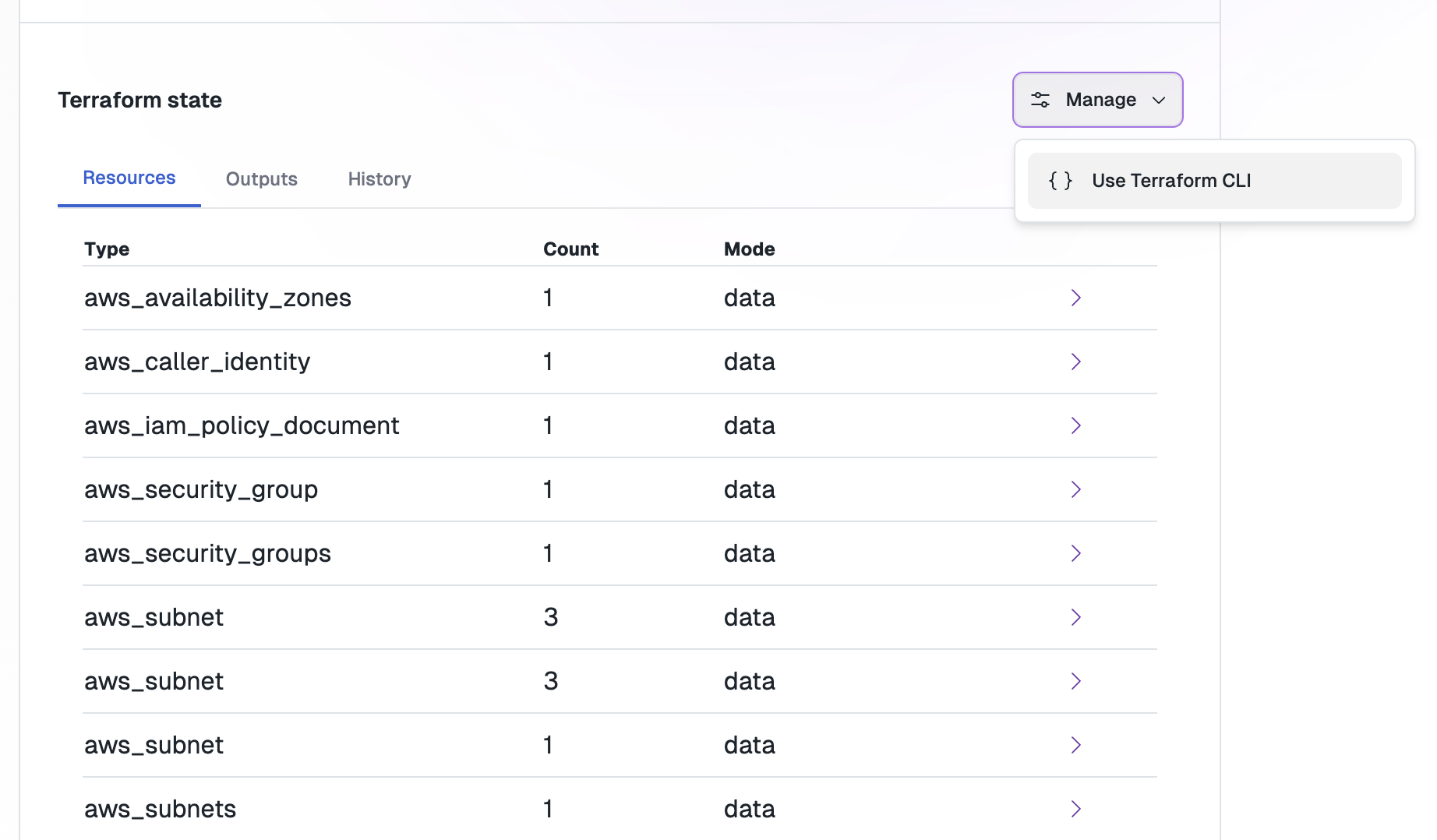
All sandboxes and terraform components use the Nuon API as their state backend. You can now see resources that are managed via the UI:
Renaming an action step can potentially break references to actions. We plan to add an ID field for output references soon.
## Kube Config + Credentials
We now automatically inject a valid kube config into the environment for each action. You can reference the `KUBECONFIG`
env var to find a configuration file for the install sandbox the runner has access to.
Currently, all actions use the maintenance role defined in your app.
## Terraform Workspaces
All sandboxes and terraform components use the Nuon API as their state backend. You can now see resources that are managed via the UI:
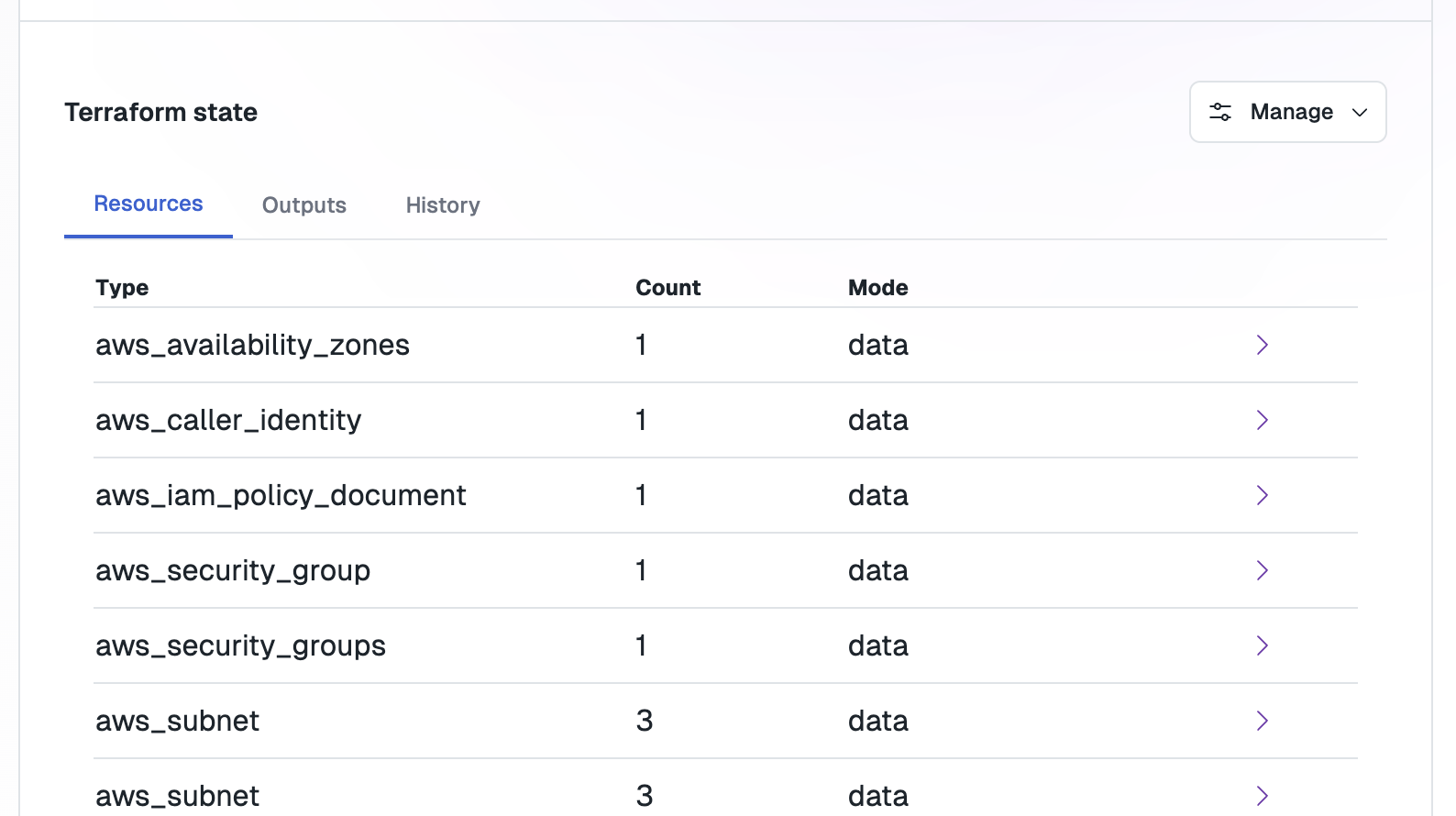 For manual state imports or bringing existing apps into Nuon, you can now generate a `backend` configuration for working with the state of an install sandbox or component directly.
 If you get a deploy error saying you have two backends configured, please remove your customer backend configuration as the runner environment will automatically configure it
This is controlled with a feature flag and we will be working with users to enable this one-by-one.
## Bug Fixes and Internals
* Fixed an issue where the runner could run out of space.
* Fixed an issue where reprovisioning an install could fail if the stack was unable to be templated during initial setup.
* Fixed a bug where all components would rebuild if the previous sync failed.
## Coming Soon
We are working on approvals, a way to preview and accept or deny changes to an install before they are executed.
If you get a deploy error saying you have two backends configured, please remove your customer backend configuration as the runner environment will automatically configure it
This is controlled with a feature flag and we will be working with users to enable this one-by-one.
## Bug Fixes and Internals
* Fixed an issue where the runner could run out of space.
* Fixed an issue where reprovisioning an install could fail if the stack was unable to be templated during initial setup.
* Fixed a bug where all components would rebuild if the previous sync failed.
## Coming Soon
We are working on approvals, a way to preview and accept or deny changes to an install before they are executed.