> ## Documentation Index
> Fetch the complete documentation index at: https://docs.nuon.co/llms.txt
> Use this file to discover all available pages before exploring further.
# 041 - Nuon MCP, Health Checks, and Triggers
> Making your BYOC deployments actionable whether directed by your agent, or an automatic action triggered by an alert.
*September 21, 2026*
## Nuon MCP
Manage your fleet of BYOC installs with your agent.
```sh theme={null}
claude mcp add --transport stdio nuon -- nuon agents mcp --allow-writes
```
Diagnose an issue, execute a [runbook](/guides/runbooks), and maintain the same approvals and controls
through MCP tool calls that you get on the Nuon control plane.
Read-only by default. `--allow-writes` gives your agent the ability to operate Nuon for you.
Destructive calls are marked so your agent asks before running one.
Read more at [Agents](/guides/agents/overview).
***
## Health Checks
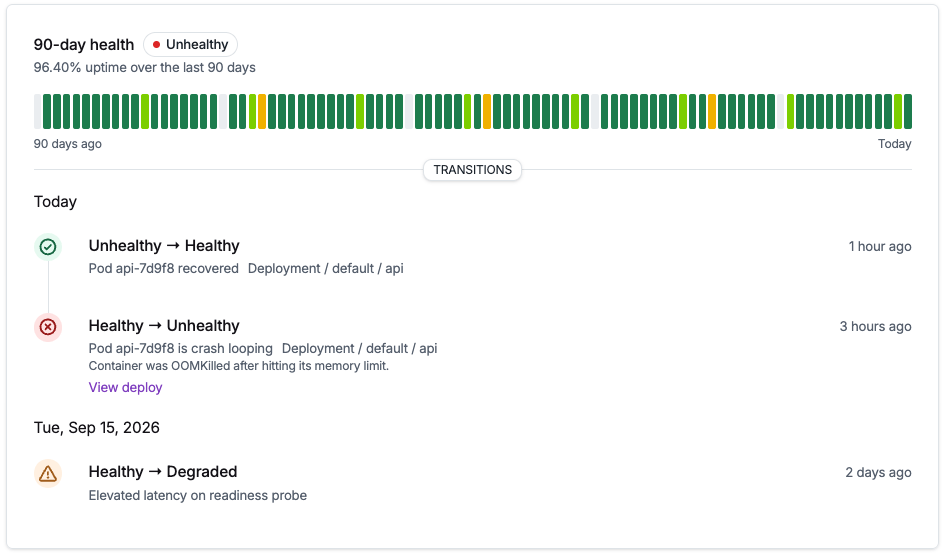
Find out a customer's install is broken before they tell you.
```sh theme={null}
nuon installs health
```
Health checks read the cluster continuously, with [alerts to Slack](/guides/health-checks#alerting)
and 90 days of uptime history per install.
Read more at [Health checks](/guides/health-checks).
***
## Triggers
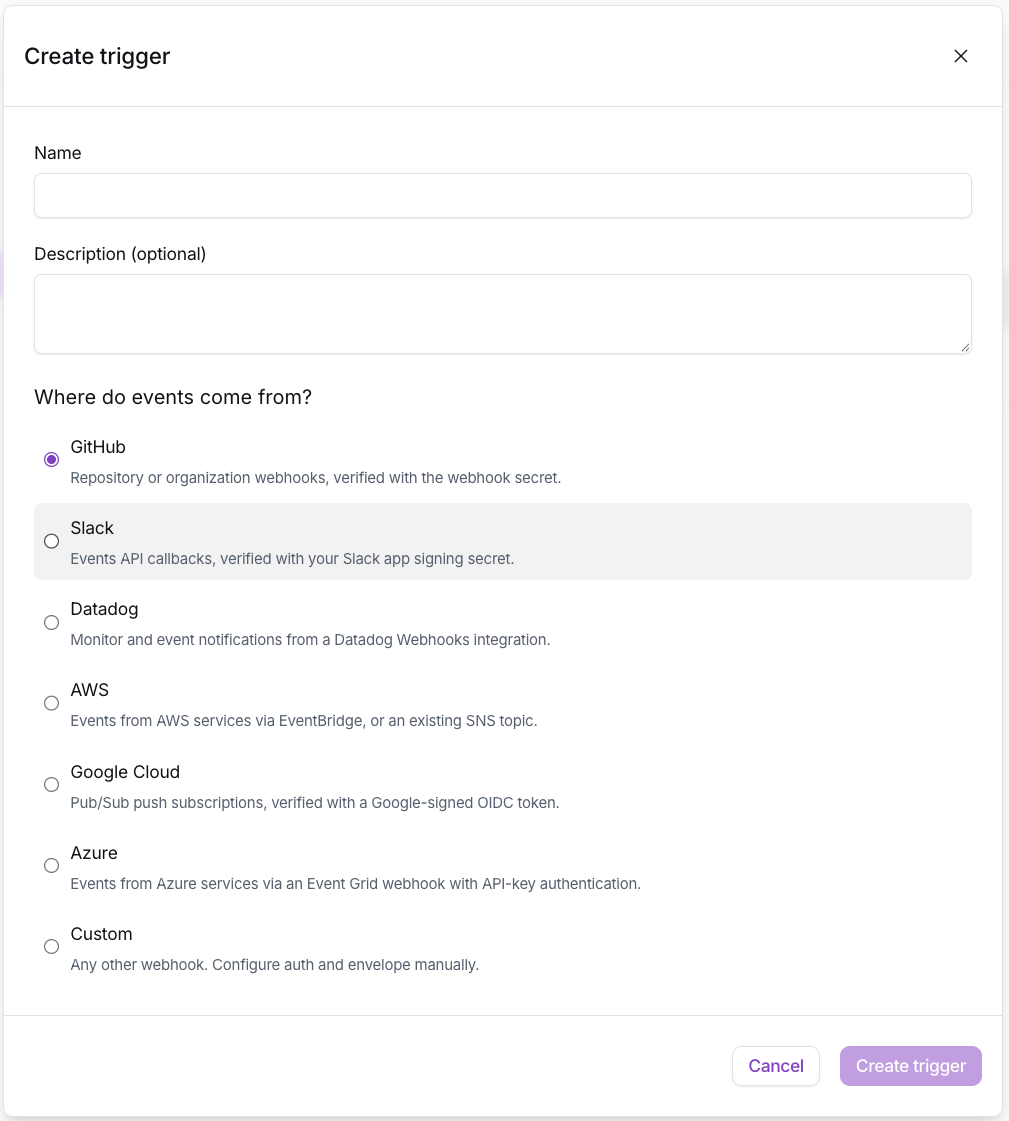
Let an alert fix the install it fired on.
```sh theme={null}
nuon triggers create my-trigger --preset datadog
```
Your alerting system POSTs to Nuon, and Nuon runs the [runbook](/guides/runbooks) so you can hold BYOC
customers to the same high bar for uptime. And if something needs human intervention, you already have
early diagnostics when you're paged.
Read more at [Triggers](/guides/triggers).
***
## Other updates in this release
### Terraform stack modules
Make the install stack an ordinary pull request in the Terraform pipeline your customer's platform
team already reviews.
```hcl theme={null}
module "aws_stack" {
source = "nuonco/stack/aws"
version = "~> 1.0"
install_id = ""
}
```
[Published modules for AWS, Azure, and GCP](/guides/provision-stacks-with-terraform-module), each
authenticated with a service account scoped to that one install. Your customer applies Terraform when
the stack itself changes, not every time you ship an app update.
### Container actions
An action can declare a container image its steps run inside, so the tools a step needs ship with the
action instead of being installed on the runner at the start of every run. See
[Container actions](/guides/container-actions).
### Verify container image signatures
A `container_image` component can require a valid signature before Nuon copies the image into its
registry. Verification runs at build time, after the tag resolves to an immutable digest, so an
unsigned image fails the build instead of reaching a customer. Sigstore keyless identities and Cosign
key pairs are both supported. See [Verify container image signatures](/guides/image-signature-verification).
### Pull request previews for app branches
Open a pull request against a tracked branch and Nuon builds the config diff and reports it on the
pull request itself. See [App branches](/guides/app-branches).