

- On AWS, the native format is a CloudFormation stack.
- On Azure, the native format is an Azure Resource Manager (Bicep) deployment.
- On GCP, only Terraform is generated — Google Cloud’s Infrastructure Manager runs Terraform natively.
What does a Stack create?
Every Stack provisions the same three things:- The network the app runs in
- The permissions the Runner needs to deploy and operate your app
- The Nuon-powered Runner itself
How is a Stack deployed?
When a vendor creates an install, Nuon generates Stack templates (Terraform and the platform’s native IaC, where applicable) along with links and CLI snippets the vendor can share with the customer. The customer deploys whichever format fits their tooling, using their own credentials. This is how access is granted: the customer provisions the Stack themselves. No cross-account access is required. The customer retains full ownership and visibility of all infrastructure created by the Stack.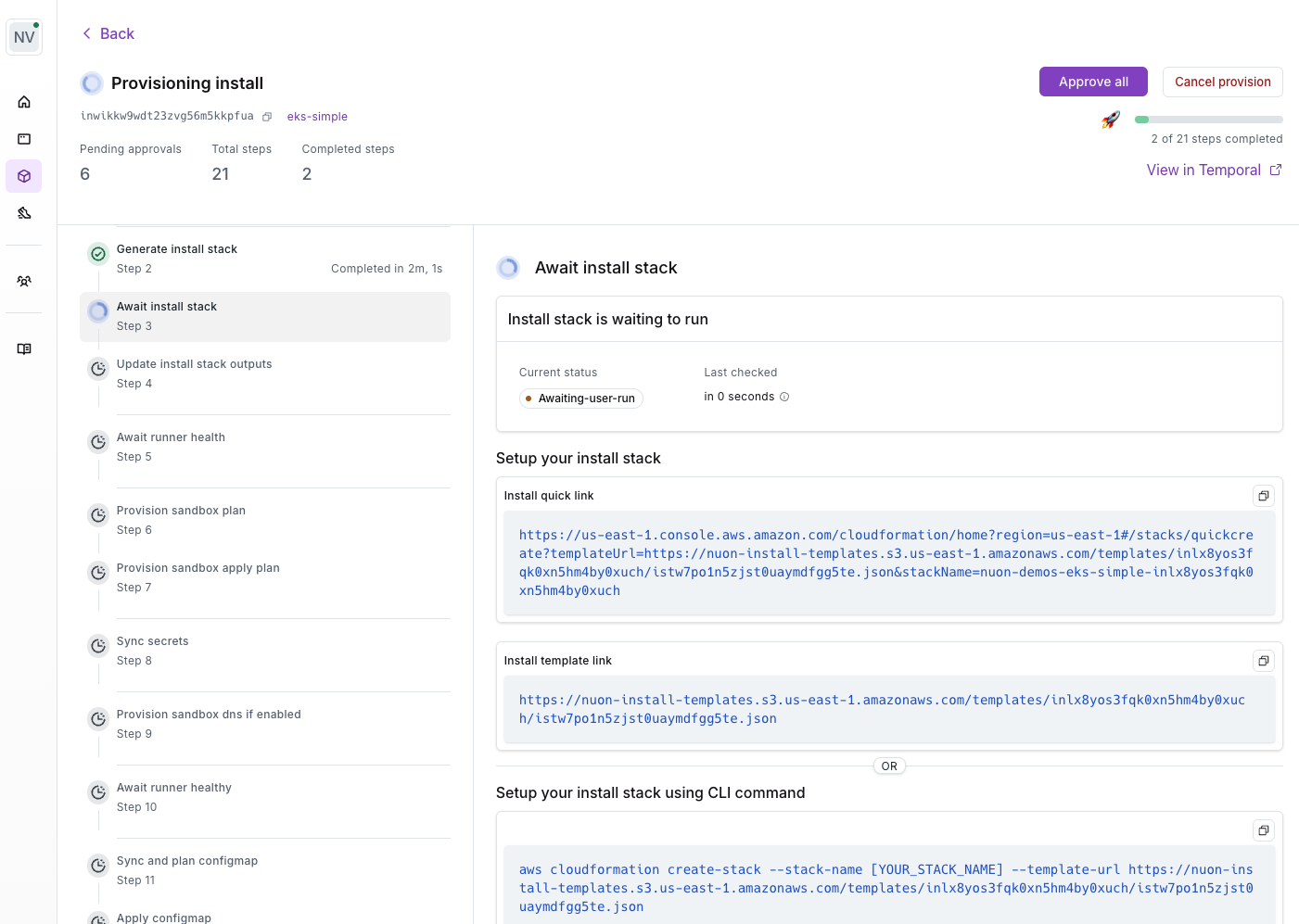
Customer Control
The Stack gives the customer full control over the Runner’s access to their cloud account. Through the Stack parameters, the customer can:- Enable or disable the Runner to stop it from executing jobs
- Configure IAM roles and policies to control what the Runner can do
- Grant break glass roles for temporary elevated access during emergencies, which the customer can revoke at any time
- Trigger automated actions when roles are enabled or disabled — use the
role-enabledandrole-disabledaction triggers to run auditing, validation, or setup tasks in response to role changes
Stack Inputs
Stacks accept customer-provided values at deploy time. They come in three forms:- Secrets — entered by the customer as CloudFormation/Bicep parameters or Terraform variables, then stored in AWS Secrets Manager, Azure Key Vault, or GCP Secret Manager.
- Customer-facing inputs marked
user_configurable— passed through the Stack at deploy time. - VPC and cluster IDs — required when the app uses the Customer VPC or Customer Cluster pattern. The customer enters them in the Stack’s parameter form alongside any other inputs.