Policies allow you to enforce compliance, security, and operational standards across your infrastructure deployments. Policies are evaluated during builds and deploys, blocking or warning when violations are detected.

What are Policies?

Policies are rules written in OPA Rego or Kyverno that validate your infrastructure before deployment. Each policy can either:
  • Deny - Block the build or deployment when a violation is detected
  • Warn - Log a warning but allow the build or deployment to continue
Policies are evaluated at different phases depending on the component type:
  • Build-time: Policies run during the component build process
  • Deploy-time: Policies run after the plan is generated, before applying changes
  • Sandbox runs: Policies run during sandbox infrastructure provisioning

Policy Types

Nuon supports policies for different component types, each with its own input format:
TypeApplies ToEngineEvaluation PhaseInput Format
container_imageExternal container imagesOPABuildImage metadata (SBOM, signatures, attestations)
helm_chartHelm chart componentsOPADeployKubernetes AdmissionReview
kubernetes_manifestKubernetes manifest componentsOPADeployKubernetes AdmissionReview
terraform_moduleTerraform module componentsOPADeployTerraform JSON plan
kubernetes_clusterKubernetes cluster resourcesKyvernoDeployKubernetes resources
sandboxSandbox infrastructureOPASandbox runTerraform JSON plan

Policy Engines

OPA (Open Policy Agent)

OPA policies are written in Rego, a declarative query language. Policies must be in the nuon package and use deny or warn rules. The input structure varies by policy type:
Policy TypeInput Structure
terraform_module, sandboxinput.plan.resource_changes, input.plan.terraform_version
helm_chart, kubernetes_manifestinput.review.object, input.review.kind
container_imageinput.image, input.tag, input.metadata
Example: Terraform policy
package nuon

# Deny unencrypted S3 buckets
deny contains msg if {
    some resource in input.plan.resource_changes
    resource.type == "aws_s3_bucket"
    resource.change.actions[_] in ["create", "update"]
    not resource.change.after.server_side_encryption_configuration
    msg := sprintf("S3 bucket '%s' must have encryption enabled", [resource.address])
}

# Warn about missing tags
warn contains msg if {
    some resource in input.plan.resource_changes
    resource.change.actions[_] in ["create", "update"]
    not resource.change.after.tags.Environment
    msg := sprintf("Resource '%s' is missing Environment tag", [resource.address])
}
Example: Kubernetes/Helm policy
package nuon

# Deny containers running as root
deny contains msg if {
    input.review.kind.kind == "Pod"
    some container in input.review.object.spec.containers
    container.securityContext.runAsUser == 0
    msg := sprintf("Container '%s' must not run as root", [container.name])
}
Example: Container image policy
package nuon

# Deny unsigned images
deny contains msg if {
    not input.metadata.signed
    msg := sprintf("Image %s:%s must be signed", [input.image, input.tag])
}

Kyverno

Kyverno policies use YAML syntax and are designed for Kubernetes resources. Kyverno is only supported for kubernetes_cluster policy types:
apiVersion: kyverno.io/v1
kind: ClusterPolicy
metadata:
  name: require-labels
spec:
  validationFailureAction: Enforce
  rules:
    - name: check-team-label
      match:
        any:
          - resources:
              kinds:
                - Pod
      validate:
        message: "All pods must have a 'team' label"
        pattern:
          metadata:
            labels:
              team: "?*"

How do you configure Policies?

Create a policies.toml file at the root of your app directory. Policy content (Rego or Kyverno YAML) can be inline or referenced from files in a policies/ directory.

Directory Structure

myapp/
├── policies/
│   ├── require-encryption.rego
│   ├── block-mutable-tags.rego
│   └── require-labels.yaml
├── policies.toml
├── components/
│   └── api.toml
└── metadata.toml

Configuring policies.toml

Define policies in policies.toml with file references or inline content:
policies.toml
# Reference an external policy file
[[policy]]
type       = "terraform_module"
engine     = "opa"
components = ["*"]
contents   = "./require-encryption.rego"

# Inline policy content
[[policy]]
type       = "container_image"
engine     = "opa"
components = ["api_image", "worker_image"]
contents   = """
package nuon

default allow := false

allow if {
    input.metadata.signed == true
}

deny contains msg if {
    not input.metadata.signed
    msg := sprintf("Image %s:%s must be signed", [input.image, input.tag])
}
"""

Policy Configuration Fields

FieldRequiredDescription
typeYesPolicy type: container_image, helm_chart, kubernetes_manifest, terraform_module, kubernetes_cluster, or sandbox
engineNoPolicy engine: opa or kyverno (default)
nameNoHuman-readable name. If not specified, derived from the filename
componentsYesList of component names this policy applies to. Use ["*"] for all components of the specified type
contentsYesInline policy content or path to policy file (e.g., ./require-encryption.rego)

Referencing External Policy Files

The contents field supports multiple source types. Relative paths are resolved from the policies/ directory:
# Relative file path (relative to policies/ directory)
contents = "./require-encryption.rego"

# HTTP/HTTPS URL
contents = "https://example.com/policies/security.rego"

# Git repository
contents = "git::https://github.com/org/policies//terraform/encryption.rego"

Syncing Policies

Policies are part of your app configuration. To create or update policies, sync your app:
nuon apps sync
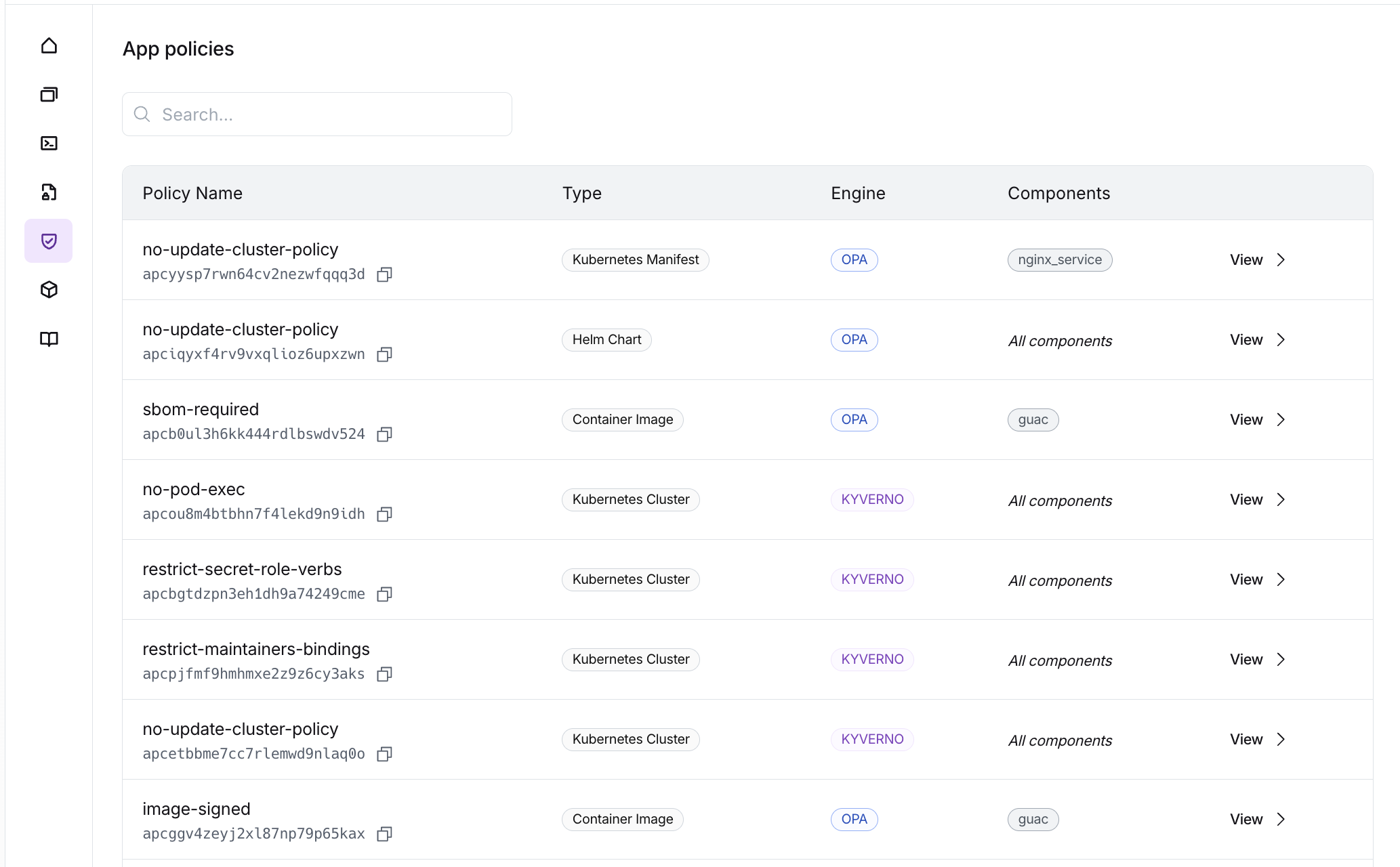
Policies list Policies are synced along with components, actions, and app metadata. If you change or add policies, run nuon apps sync again to upload the changes. Note that unlike components, policies do not need to be built, they are evaluated directly during build and deploy workflows.

Policy Evaluation

Build-Time Evaluation

Build-time policies are evaluated during the component build process:
  • container_image: Policies evaluate image metadata (SBOM, signatures, attestations) fetched from the registry
If a deny rule matches during build-time evaluation, the build fails with status policy_failed.

Deploy-Time Evaluation

Deploy-time policies are evaluated after the plan is generated, before applying changes:
  • terraform_module: Policies evaluate the Terraform JSON plan
  • helm_chart: Policies evaluate the Kubernetes AdmissionReview objects
  • kubernetes_manifest: Policies evaluate the Kubernetes AdmissionReview objects
If a deny rule matches during deploy-time evaluation, the workflow step fails and changes are not applied.

Sandbox Evaluation

Sandbox policies (type = "sandbox") are evaluated during sandbox infrastructure runs. They receive the Terraform JSON plan for the sandbox infrastructure.

Viewing Policy Results

Dashboard

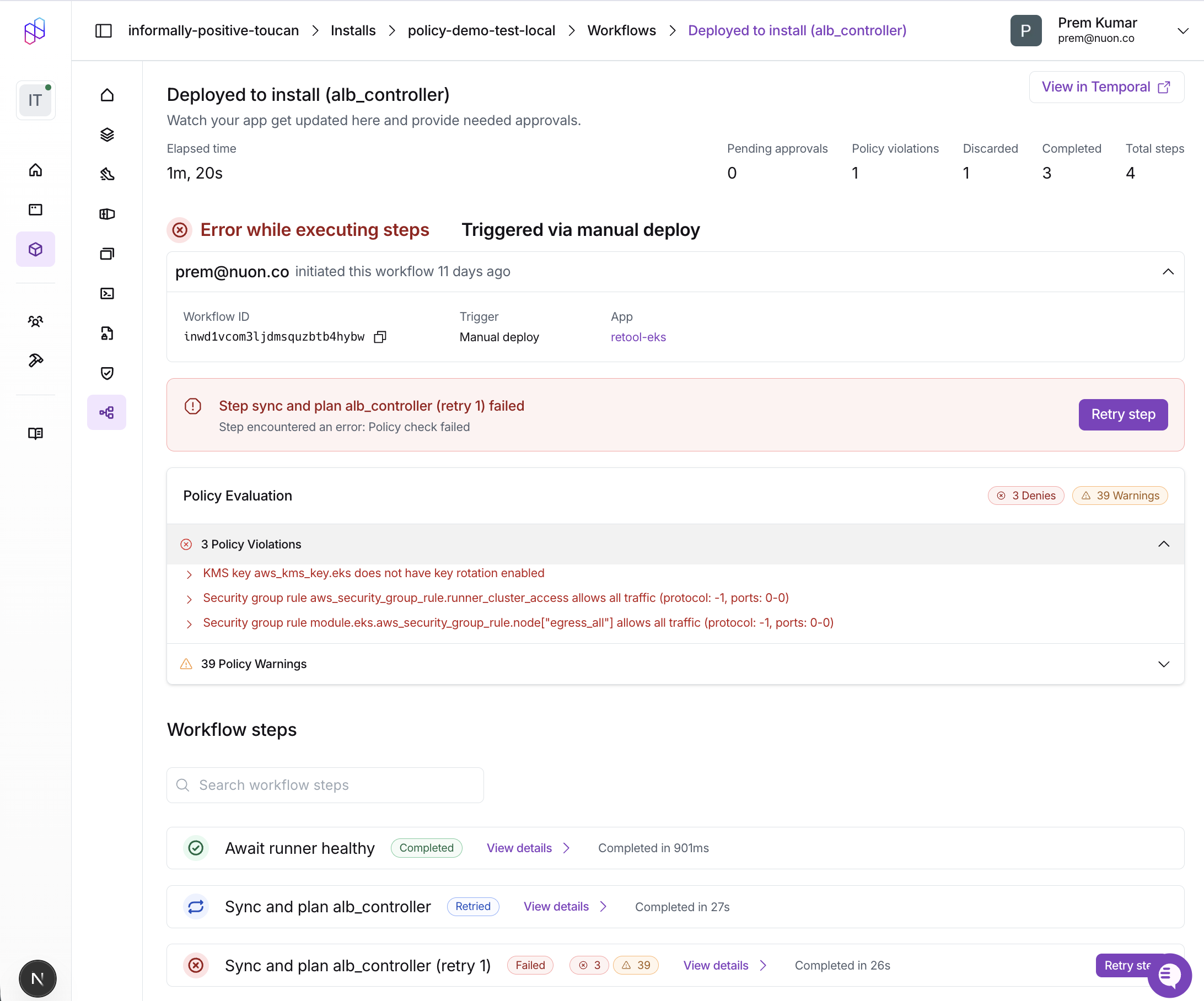
Policy violations are displayed in the workflow step details. The Policy Evaluation card shows:
  • Passed: All policy checks passed successfully
  • Denies: Policy violations that blocked the workflow (red)
  • Warnings: Policy warnings that were logged but didn’t block (orange)
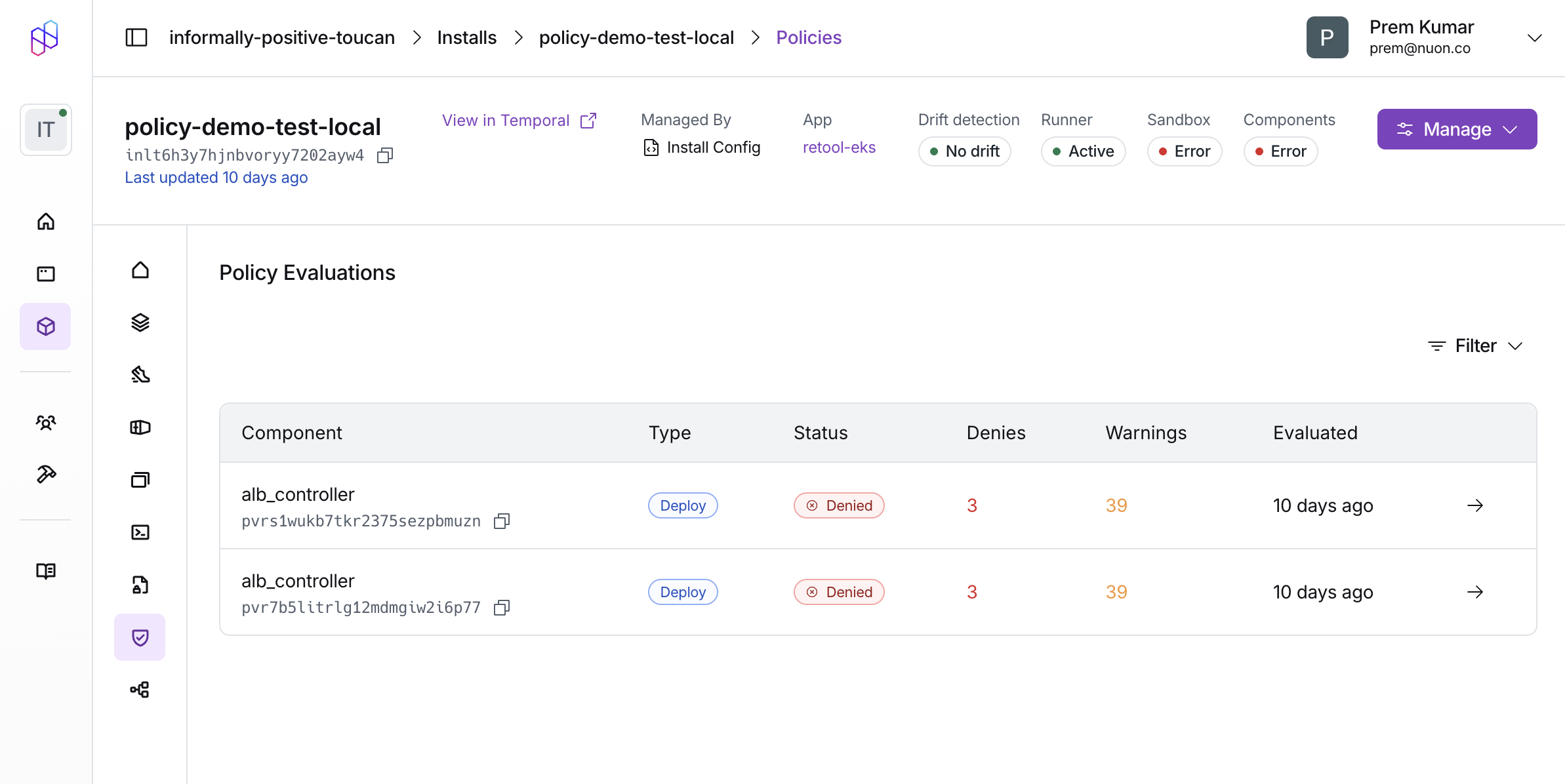
Each violation includes the policy name and the specific message from your deny or warn rule. Workflow policy violations You can also view a list of all policy evaluations for an install, or filter by their status, type etc. Policy evaluations list

CLI

Build failures due to policy violations show the policy_failed status:
nuon builds create -c my-component

# Output:
# ✗ component build failed policy check: Image nginx:latest must be signed
Workflow steps display policy violation counts in the output:
nuon installs workflows steps list -w <workflow-id>

# Output shows policy column with ✗ (denies) and ⚠ (warnings):
# Step          Status    Policy
# deploy-api    error     ✗ 2
# deploy-db     success   ✓
# deploy-cache  success   ⚠ 1
Get detailed violation messages for a specific step:
nuon installs workflows steps get -w <workflow-id> -s <step-id>

Policy Examples

We maintain a collection of example policies organized by component type to help you get started.
The example repository includes:
  • terraform/ - Policies for Terraform modules (encryption, tagging, IAM security, cost controls)
  • kubernetes/ - Policies for Helm charts and Kubernetes manifests (pod security, resource limits, networking)