

Since v0.19.821
Workflow TUI
The install workflows TUI is now generally available in thenuon CLI. The workflow TUI provides a single place to
follow workflow progress in real time, inspect step details, and take action all from the terminal.
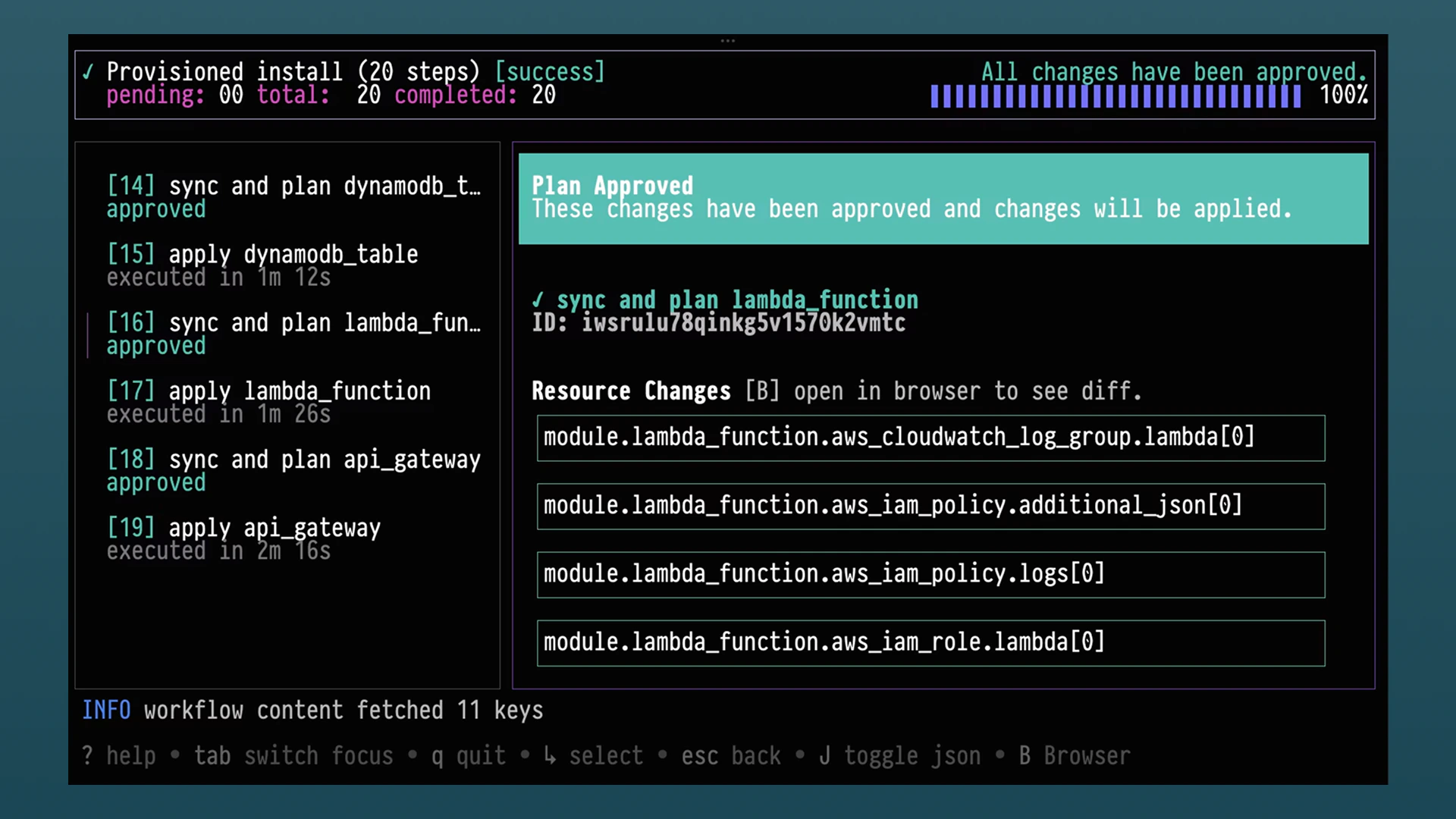
nuon installs workflows to open a guided, interactive view of your install workflows. From there, you can review
plan diffs, approve steps, retry failed actions, and cancel workflows when needed. The experience is designed to make
day-to-day operations faster and easier for teams that work directly in CLI-first environments.
Introducing CLI Extensions
We are introducing a way to extend the functionality of the Nuon CLI via custom extensions. Extensions are generally available and work as first-classnuon commands. This enables teams to build tailored workflows directly into the CLI
usage.
We’ve authored a few extensions which are available now. For example, with nuon api, you can browse and call Nuon’s
public API from the command line using a spec-driven client that supports interactive discovery and script-friendly
output.
Run nuon extensions to explore extensions.
api extension.
Learn More
Dashboard UI Changes and Improvements
The Nuon dashboard has focused on two themes: moving key product surfaces onto the SPA/BFF architecture and making install operations more observable and easier to act on.Platform and Navigation
- Migrated major product surfaces to the SPA pattern, including onboarding, install components, admin panel, audit logs, and install config download flows.
- Improved navigation behavior with empty-route redirects, safer login redirects, and org-level dashboard redirects when enabled.
- Simplified and modernized dashboard presentation with better page titling, icon usage, scroll ergonomics, and version rendering consistency.
Workflow notifications and Status bar in action.
Workflow Visibility and Approvals
- Added org-level and install-level active workflow experiences, with follow-up refinements to keep only in-progress workflows in active views.
- Added pending-approval toasts and notification improvements so approval-required workflows are easier to spot and action.
- Expanded workflow detail panels to include logs and added downloadable logs for easier incident and support handling.
- Improved approvals UX with better defaults and guardrails (including duplicate build warning and safer stack-run handling).
Install and Action Operations
- Added role-aware UI paths for reprovision and install input updates, including custom role selection improvements.
- Added role provision status indicators for install and app role visibility.
- Added quick-action improvements like forget install, ad-hoc action reruns, and better quick-menu loading behavior.
- Improved runner and runner-job interactions, including endpoint alignment for restart behavior.
- Added the ability to download logs to a
.txtfile.
Role and Operation Roles
Operation Role Selection and Workflow Propagation
- Refactored role resolution so role mapping and auth context are determined in plan workflows, improving consistency between planning and execution.
- Added explicit role override support to reprovision and install-input update workflows via role fields in workflow creation paths.
- Continued hardening selector behavior around template rendering, stack-output role lookup, and default-role fallback behavior.
Available Roles and Role Status APIs
- Role picker now allows selecting from all available enabled roles.
- Enable UI visibility into enabled/provisioned roles along with its identifier.
GCP, Break-Glass, and Custom Role Support
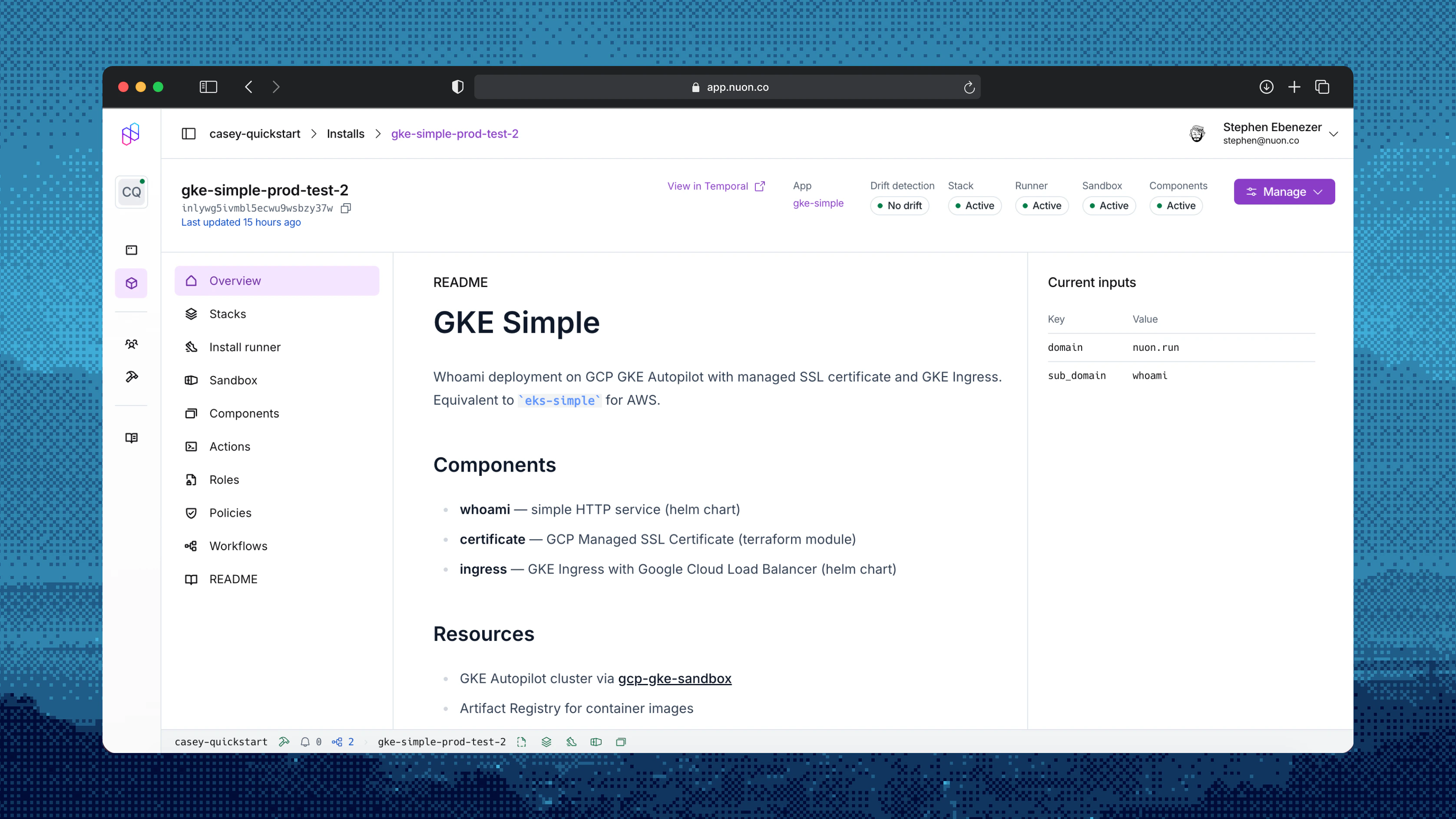
- GCP installs now resolve custom roles and break-glass service accounts through the same operation-role selection used by AWS and Azure.
- GCP stack outputs are parsed into the role lookup flow so role pickers and plan workflows see GCP roles alongside other cloud roles.
- Sandbox-mode fake stack outputs include custom role, break-glass, and install-input identifiers for role-aware sandbox planning.
Install Stack Role Provisioning Behavior
- Updated CloudFormation role parameter defaults so custom roles are auto-selected when referenced by operation role configs (entity-level roles or matrix rules).
Changed
- Improved
auth loginto better respect configured API URL. installs createnow has support for install selection- New
runnergroup withrestartandshutdowncommands. - Standardized
get/currentbehavior.currentis deprecated but will remain supported for some time. - Fully deprecated
nuon apps synccommand. - Dashboard UI now routes key surfaces through the SPA architecture, including onboarding, install components, admin panel, audit logs, and install config download.
- Workflow UX in dashboard now emphasizes active in-progress runs, surfaces pending approvals earlier, and improves plan/step visibility with better defaults and safeguards.
- Operation-role selection in ctl-api was hardened so planning and execution use the same role-resolution flow with stronger runtime override handling.
- Install role APIs in ctl-api were expanded and normalized so role availability/provisioning state is exposed consistently across clouds.
- Custom role enablement in install stack generation now defaults correctly when roles are referenced, with follow-up nil-safety fixes.
- GCP permission fields (GCPPermissions, GCPPredefinedRole, CloudPlatform) are now synced when converting IAM roles.
- Role configs now enforce platform validation to prevent misconfigured cloud-specific fields.
- Deploy flow step sequencing was refined, including noop output handling and retry-after-timeout scenarios.
Added
- Added interactive app selection to
nuon installs create. When--app-idis omitted, a new app selector contextual TUI Is surfaced. - Added install runner management commands under
nuon installs runner(get,restart,shutdown-vm). - Added install workflow diff support in the workflow TUI.
- Added preview
nuon installs reprovision-sandboxcommand to schedule sandbox reprovision workflows. - Added dashboard support for org-level and install-level active workflow views, pending-approval notifications, and workflow log downloads.
- Added dashboard role-aware actions for reprovision and install input updates, plus role provision status visibility in install/app role workflows.
- Added ctl-api role override inputs for reprovision and install input update workflows so selected roles propagate into workflow creation.
- Added ctl-api support for GCP custom and break-glass role resolution in available-role and operation-role selection paths.
- Added richer sandbox fake stack outputs (custom roles, break-glass roles, and install inputs) to support role-aware sandbox-mode planning.
- Added new param to action config to allow toggle injection of kube config in action context.
- Added auto-retry toggle to the workflow TUI for retrying failed steps without leaving the TUI.
- Added break-glass directory support in the CLI.
Bug Fixes
- Fixed React hook bug causing deploy pages to crash.