

Runbooks
Runbooks let you define a named, ordered sequence of steps, and run it in your customer’s environment with confidence the actions are already proven. The common use cases:- on-call restart
- version upgrade
- database migration
runbooks/ directory in your app config. Each step is either a deploy (deploy a component, optionally with its dependencies) or an action (run an existing action, or a command defined inline):
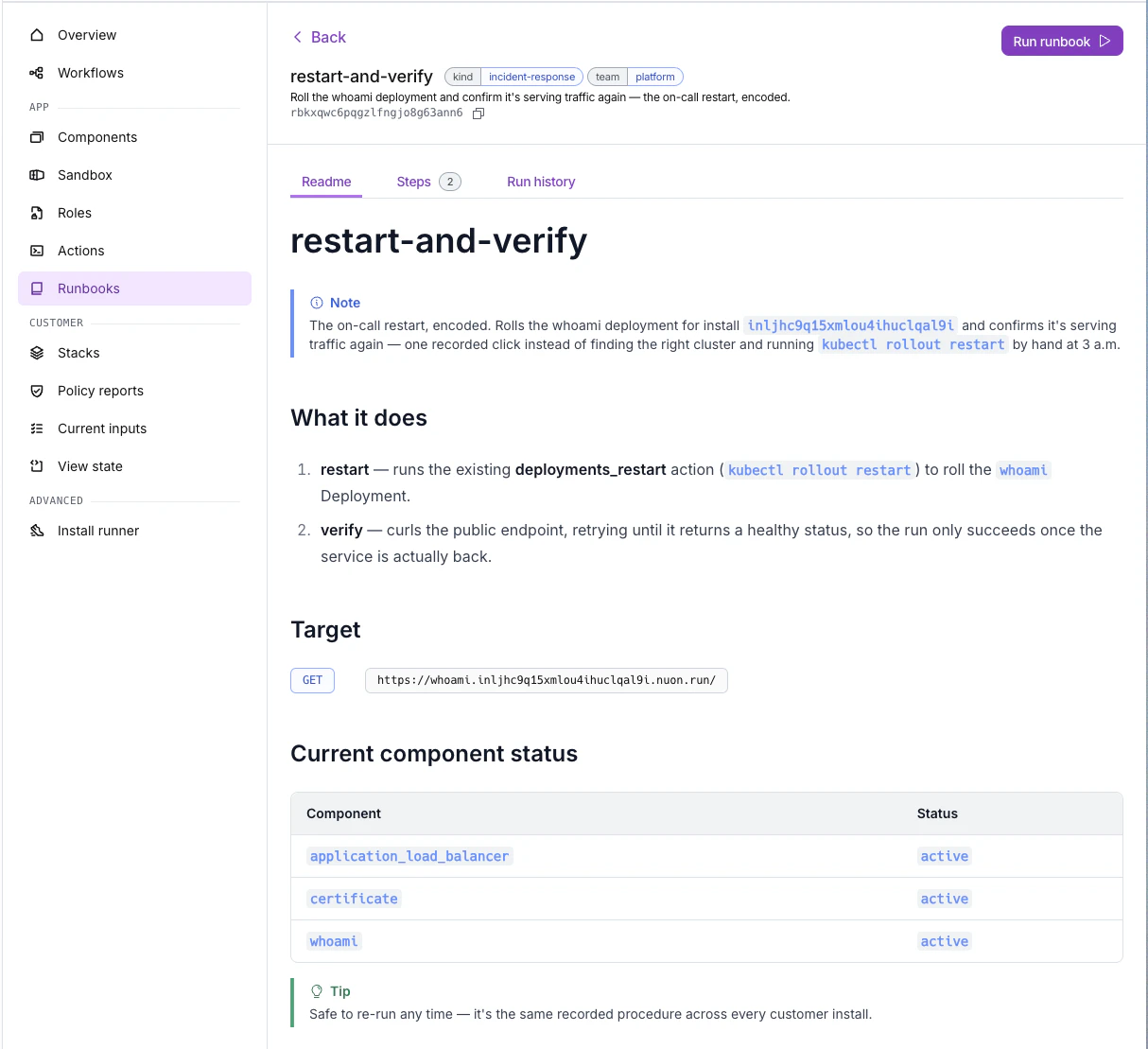
nuon runbooks --install-id <id>. See the Runbooks guide for the full configuration reference.
Rendered READMEs
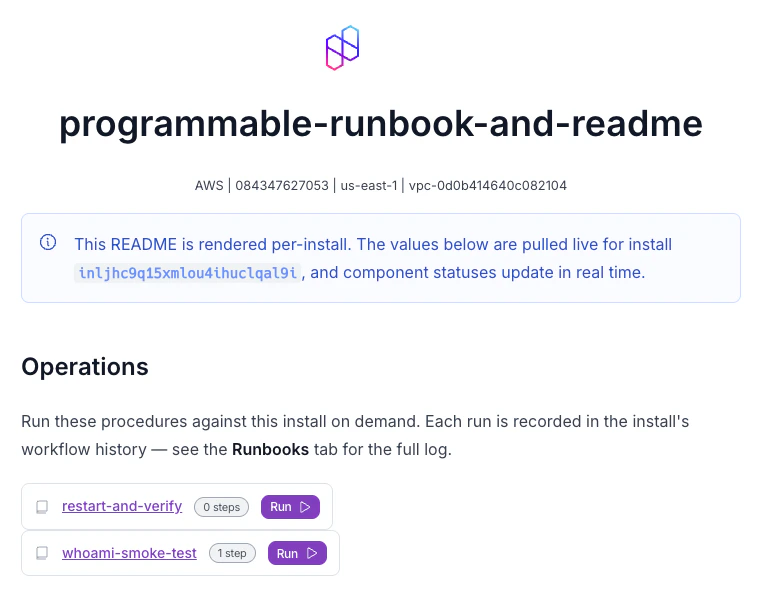
An install’s README can be rendered with information specific to that install. Go template expressions resolve against the install’s live values, so you get real URLs, IDs, and outputs. Author READMEs as Markdown on:- the app (the
readmefield inmetadata.toml) - individual runbooks (each runbook’s
readmefield)
Sandbox auto-retries
Sandboxes now supportmax_auto_retries, matching components. Transient failures self-heal without manual re-runs.
Skip no-op deploys and auto-approve on passing policies
Components and sandboxes gained two new deploy-control fields in their config:skip_noops: when a plan comes back with no changes, skip the deploy step entirely instead of running (or waiting on approval for) a no-op.auto_approve_on_policies_passing: automatically approve a deploy when its policy checks pass, so only deploys that fail policy require manual sign-off.
Per-webhook event filters
Org webhooks now take a structuredinterests filter, so each subscription opts into a subset of events instead of receiving every lifecycle event. Scope by:
- resource: workflow, step, approval, runner
- operation, outcome, or approval state
all_events: true and behave exactly as before.
Nuon CLI
- New
nuon-ext-replay-stackCLI extension for recovering an install stuck at awaiting phone-home. If the stack’s phone-home payload was received but the version never activated, reprovision the install and run the extension to replay the stored payload to the new phone-home URL.
API
POST /v1/installs/{install_id}/workflows/cancel: cancel active workflows for an install.- Active workflows and pending approvals are now excluded from responses for deleted installs.