

Provision install stacks with Spacelift
You can now provision and manage Nuon install stacks through Spacelift instead of applying the stack’s Terraform yourself — letting Spacelift handle state, run history, and drift for the install stack. It currently supports GCP, with AWS support planned. A new guide walks through both the blueprint and Terraform provisioning paths.- Generate and apply install stacks through Spacelift.
- New Provision stacks with Spacelift guide.
- Install stacks now use a dedicated Terraform provider.
Improved error messages
Component deploy errors are now parsed and surfaced directly in the UI, classified by failure type. When a Helm or Terraform deploy fails, the workflow shows a specific reason, making it faster to tell a transient error from a real misconfiguration.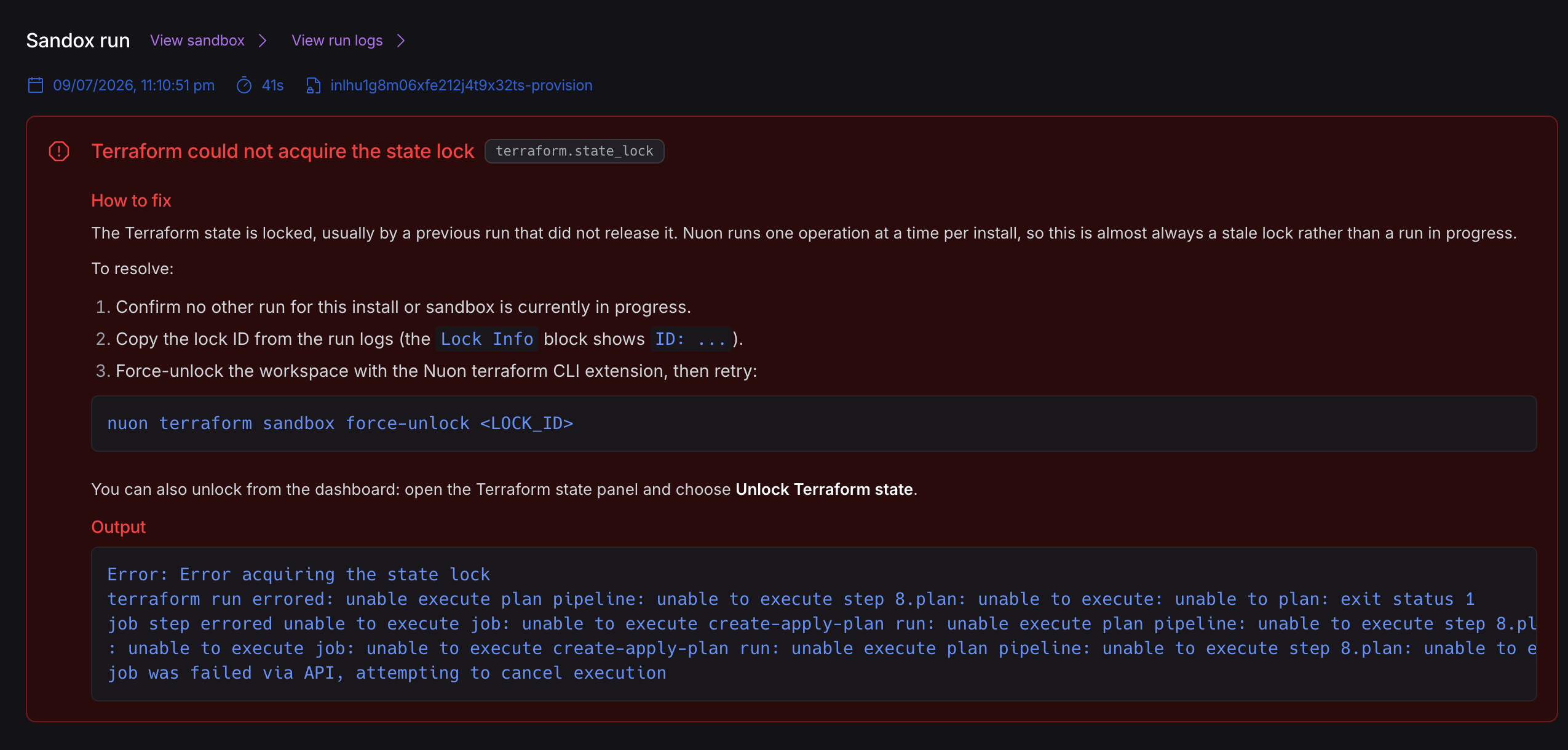
Custom label colors
Labels can now be assigned custom colors, making apps, installs, and components easier to scan and group. Set them in your app config’slabel_colors map or from the dashboard — see label colors.
Dashboard improvements
- Better table support when rendering Markdown content, including HTML tables in READMEs.
- Compact workflow step design with corrected timestamps and links.
- “Forget component” is now always available.
- Orphaned install actions, runbooks, and components are filtered out of pickers.
Improved headless CLI experience
Fixes that make thenuon CLI more reliable when you drive it headlessly from CI/CD:
nuon apps syncnow uses distinct exit codes, so CI can separate a sync failure from a build failure:0— config synced and all builds succeeded.1— sync failed.3— config synced, but one or more scheduled component builds failed or timed out.- Pass
--no-waitto skip the build wait so the exit code reflects the sync alone.
- Config schemas are now satisfiable, so you can validate app config against them in CI or an editor. Previously the typed schemas (
container-image,helm,kubernetes-manifest, and the rest) could never validate any document. - Each config file type now has its own schema endpoint —
GET /v1/general/config-schema/{type}:- Fetch a single type directly, e.g.
/config-schema/helmor/config-schema/sandbox. - Each type’s schema carries its own
$id, so editors and validators that cache schemas by URL resolve every config type distinctly instead of collapsing them onto one entry. - The older single-URL form still works for backward compatibility:
config-schema?type=helm, with?source=accepted as a deprecated alias that returns a deprecation header instead of an HTTP 400.
- Fetch a single type directly, e.g.